


Elemental: Reforged v1.02 Update Now Available
Published on Thursday, April 16, 2026 By
Battle forecasts, expanded modding tools, and stability fixes
View the full changelog | Get Elemental: Reforged Now
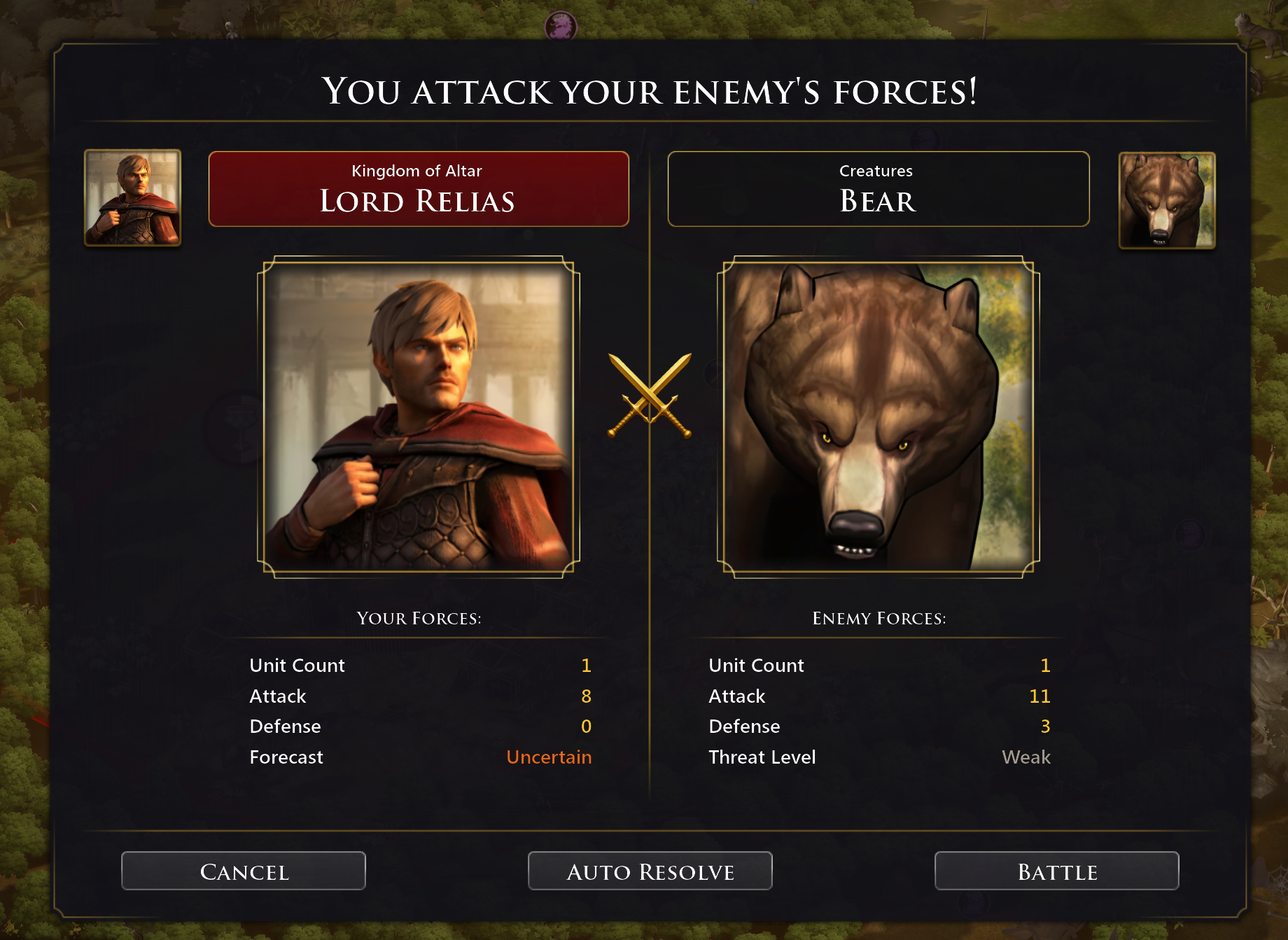
The biggest addition is a new battle forecast system. The pre-battle screen now shows a predicted outcome before you commit to a fight, ranging from Crushing Victory down to Likely Defeat, color-coded green to red. If your champions are at risk of falling, it tells you.
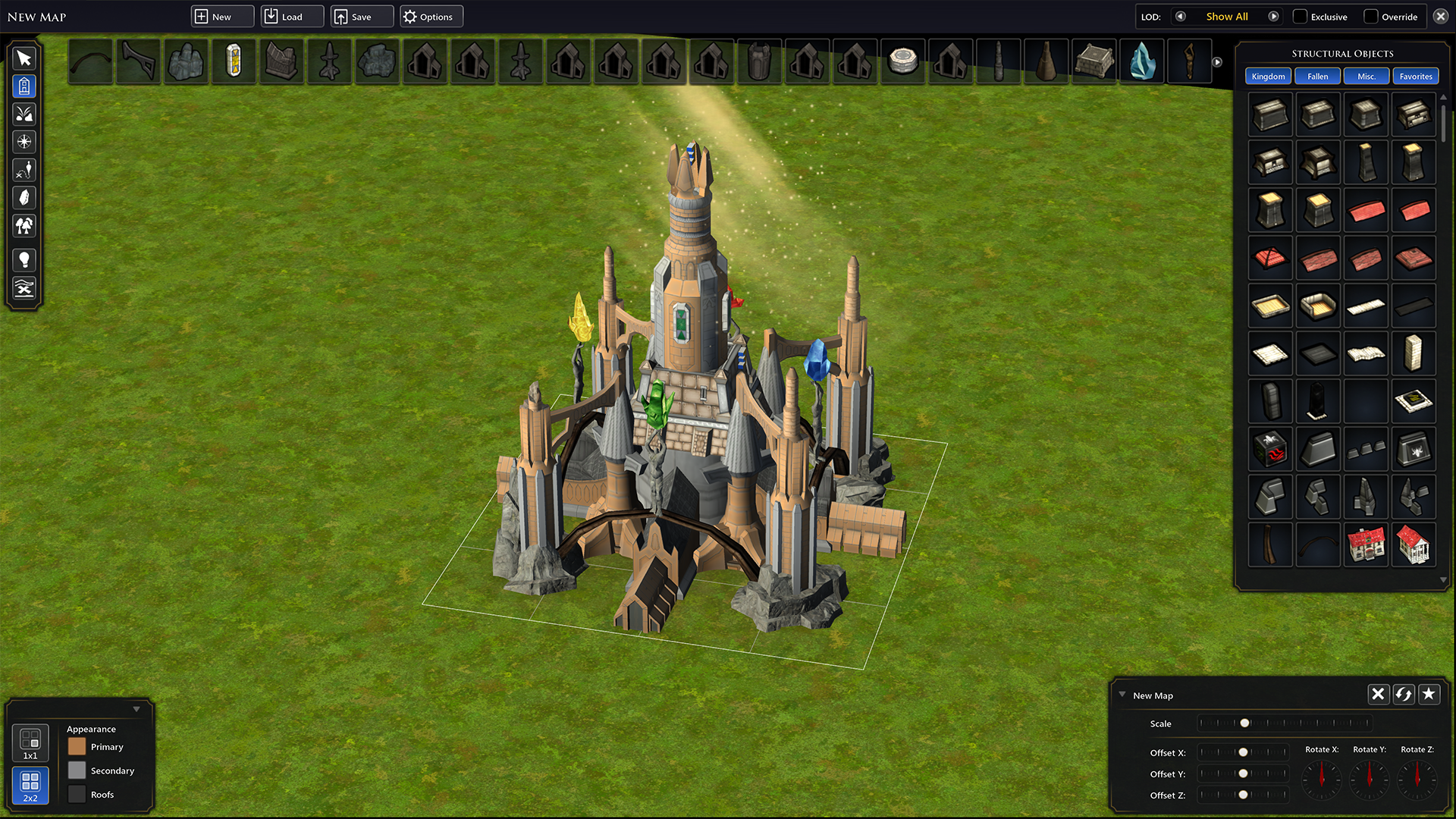
Modding support has been expanded. All game data can now be replaced by internal name, and new tools let modders control how duplicates are handled, remove core definitions, or skip entire files for total conversions. Load times for mods are faster, and a modding guide is available on the wiki and in the Steam guide section.
This update also resolves several crash scenarios that could occur during saving, loading, battles, and city destruction. Fullscreen mode now uses borderless windowed for better alt-tabbing and multi-monitor support, and the Builder's Forge received fixes for save duplication and favorites.
Some fixes only apply to new games, so we recommend starting fresh to get the full benefit.
Full changelog:
Upgraded Modding Support - Modding tools have been expanded with new ways to replace, remove, and customize game data, alongside faster load times and improved stability Stability Fixes - Resolved multiple crash scenarios across saving, loading, battles, and city destruction, plus fullscreen now uses borderless windowed for smoother alt-tabbing and multi-monitor support New Battle Forecast - A new prediction system on the pre-battle screen shows your likely outcome before committing to a fight, color-coded from green to red, with warnings when your champions are at risk Some fixes only apply to new games, we recommend starting a new game to see the new changes and fixes Verify your game files through Steam (Right-click > Properties > Installed Files > Verify) If you are on the Preview branch, make sure you are opted into the correct branch under Steam > Properties > Betas If your save crashes on load, try starting a new game to confirm the update installed correctly Report issues on the Steam forums or Discord with your save file and a description of the problem Resolved an issue where if you reloaded a save game there would be duplicated treaties in the foreign relations screen and tech tree Using the recall scroll when traveling on a ship does not teleport the ship to the player’s city Added a new spell attribute that lets certain spells bypass a portion of an enemy's magic resistance Faster load times and improved stability when loading game data All game data can now be replaced by internal name for easier modding New IfExists options let modders control how duplicate data is handled (update, replace, clear children, ignore, or duplicate) New RemoveDef tools let modders remove core definitions, skip files, or strip out entire data types to build total conversions A modding guide on how to use the modding tools can be found on the wiki and in the steam guide section Fixed an issue were saving in the tile editor would duplicate all placed parts Favorite button now works and favorites are saved between sessions Ctrl+C now duplicates the selected part for faster building Fixed an issue when ending a tactical battle and transitioning back to the main map could cause a crash Fixed a crash that could occur when saving a game Fixed a crash when destroying cities with active trade routes Fixed a crash that could occur when loading tile designs Fixed a crash caused by loading character models Fullscreen mode now uses borderless windowed for better alt-tabbing and multi-monitor support Improved loading for better memory usage and faster startup Fixed the Death Ward scroll leaving behind effects and causing a potential crash Improved loading and saving to prevent crashes and improve load time Fixed confusing text throughout the game Fixed incorrect tooltips throughout the game Fixed incorrect tooltips for some quest locations Fixed custom sovereigns showing the wrong intro text when created by copying a pre-made sovereign Added in translations for all supported languages for new text in the game The pre-battle dialog now shows a "Forecast" on the player's side predicting the likely result of auto-resolve: Crushing Victory, Decisive Victory, Costly Victory, Ask Brad button is now hidden Fixed ingredient icons overflowing for recipes with 5+ components making some ingredients hidden, all ingredients are now visible without scrolling Fixed non-sovereign champion recipes being unselectable and uncraftableKey Features
Save Game Compatibility: Save Compatible (New game recommended)
Having issues after updating?April 20th, 2026 Hotfix
Gameplay
April 16th, 2026 Update Changelog
Gameplay
Modding
Builders Forge
Stability
Text
Localization
UI
Pyrrhic Victory, Uncertain, Likely Defeat, or Stalemate. Color-coded from green to red with mouseover tooltips explaining each outcome. Importantly, "Costly Victory" warns players when their champions are at risk of falling.